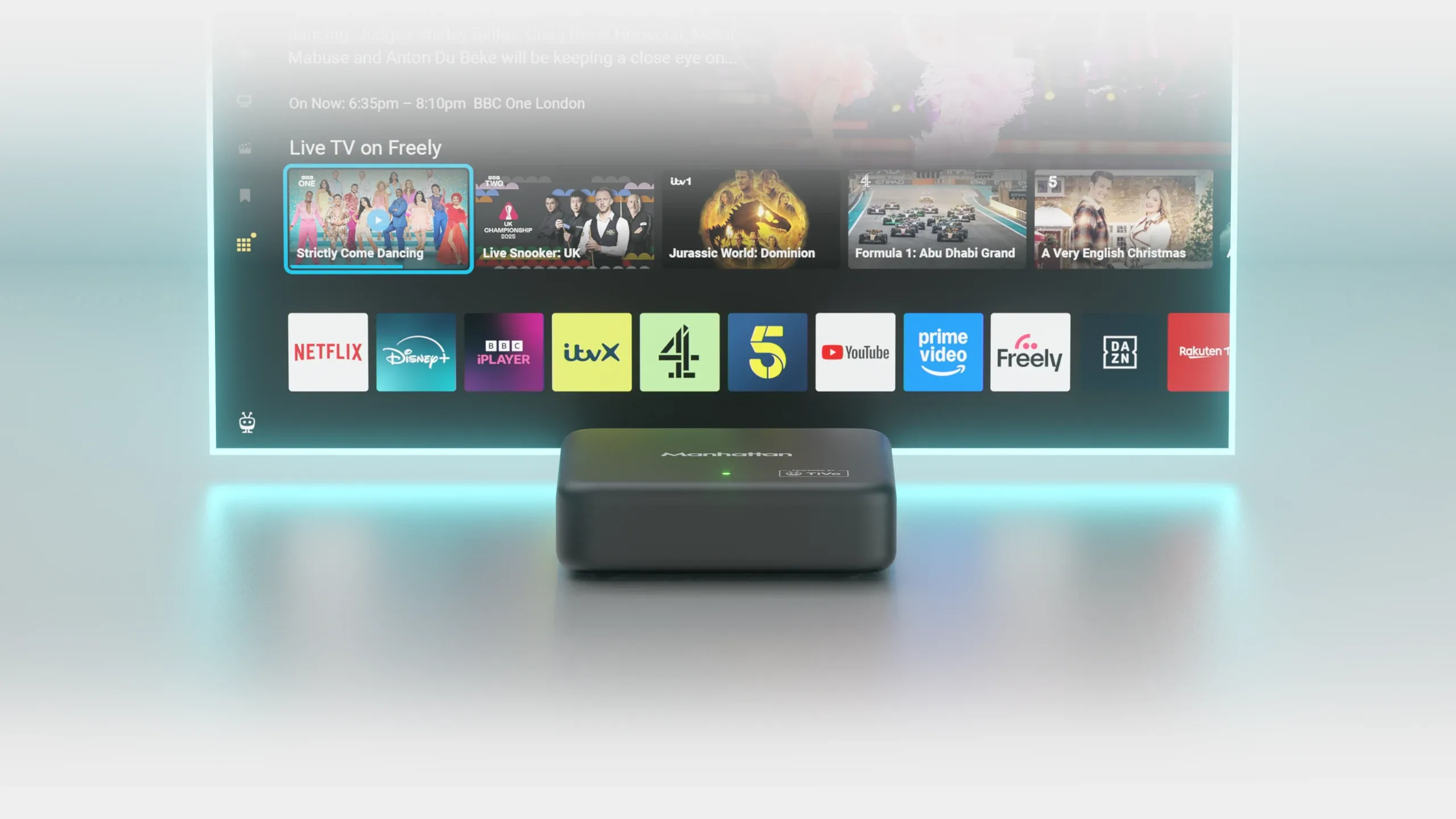

Manhattan Aero
4K TV Streamer with Freely
Using only your broadband connection, Aero delivers live TV and on-demand content from the country's most loved channels, plus all the most popular apps and hundreds of free streaming channels.
Available now for £89.99RRP






Expert Reviews
Best Buy
Tech Advisor
Highly Recommended
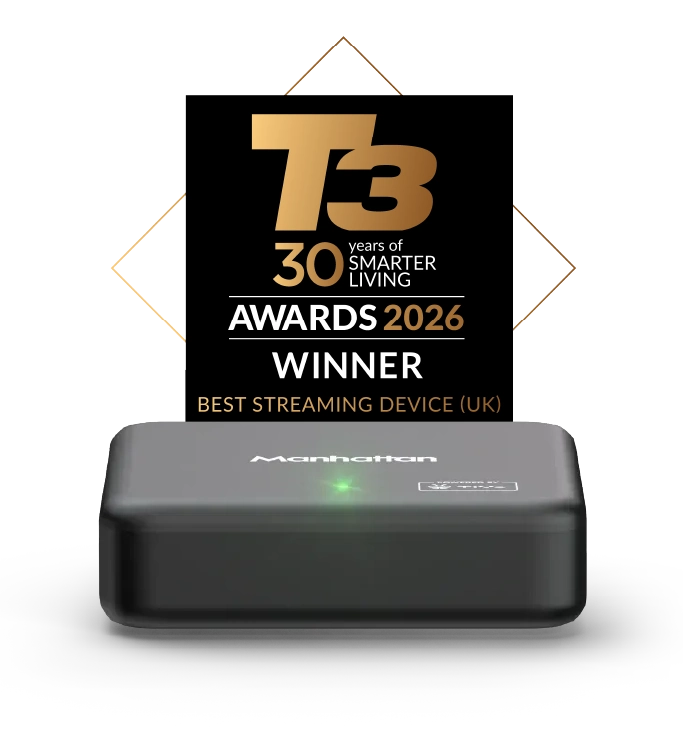
Stuff
Highly Recommended

AVForums
Best Buy

Proper live telly
Get Freely on any TV
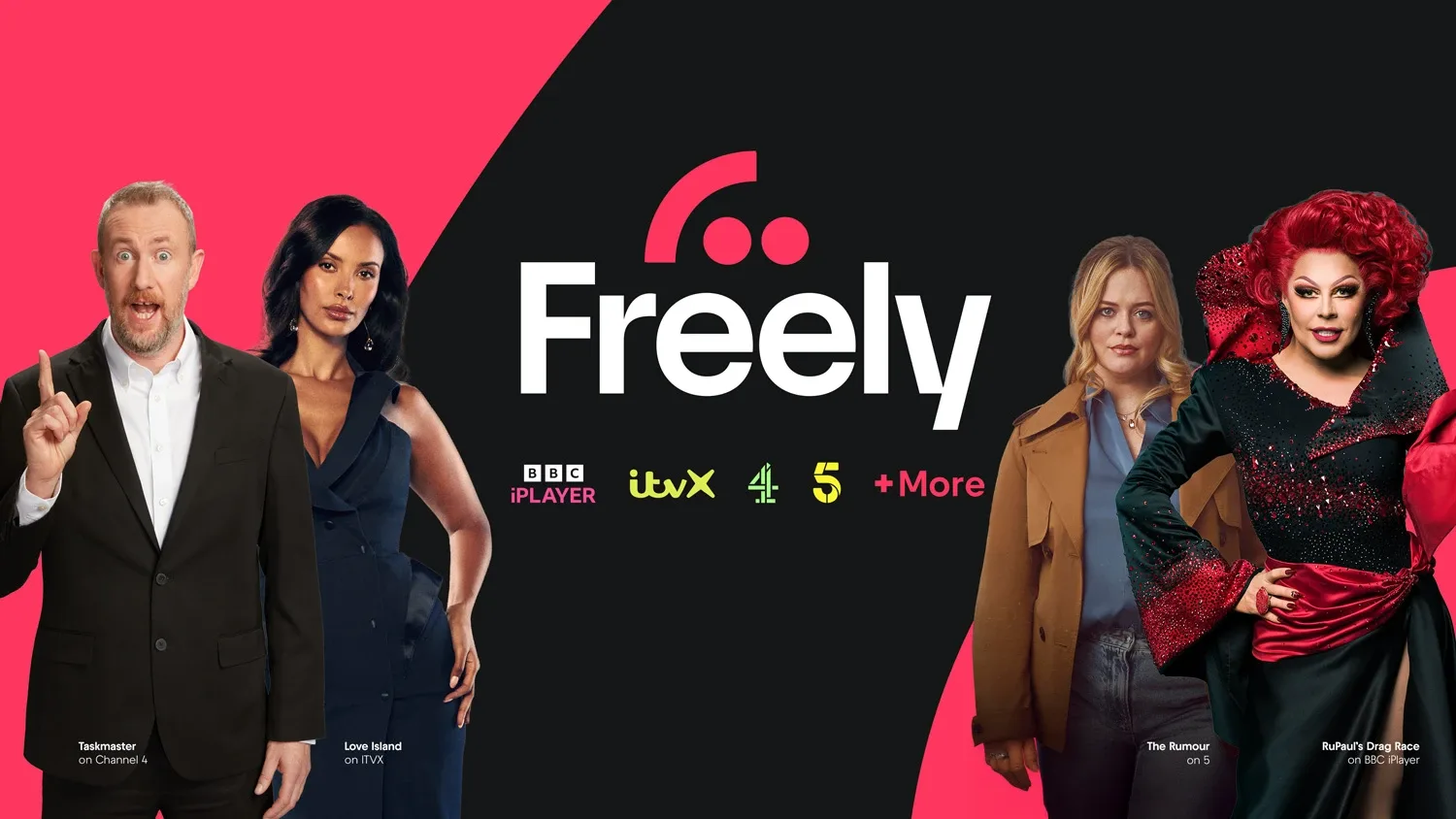
Flick through 70+ live Freely channels including BBC, ITV, Channel 4 and 5, plus 75,000+ hours of on-demand – all free. Freely comes from the people behind Freeview and Freesat, and Aero brings it to your TV without the need to upgrade your set. No aerial, no dish, no installation. Just watch in any room with a Wi-Fi signal. Learn more about Freely.
Your favourite apps
Premium apps, plus plenty for free
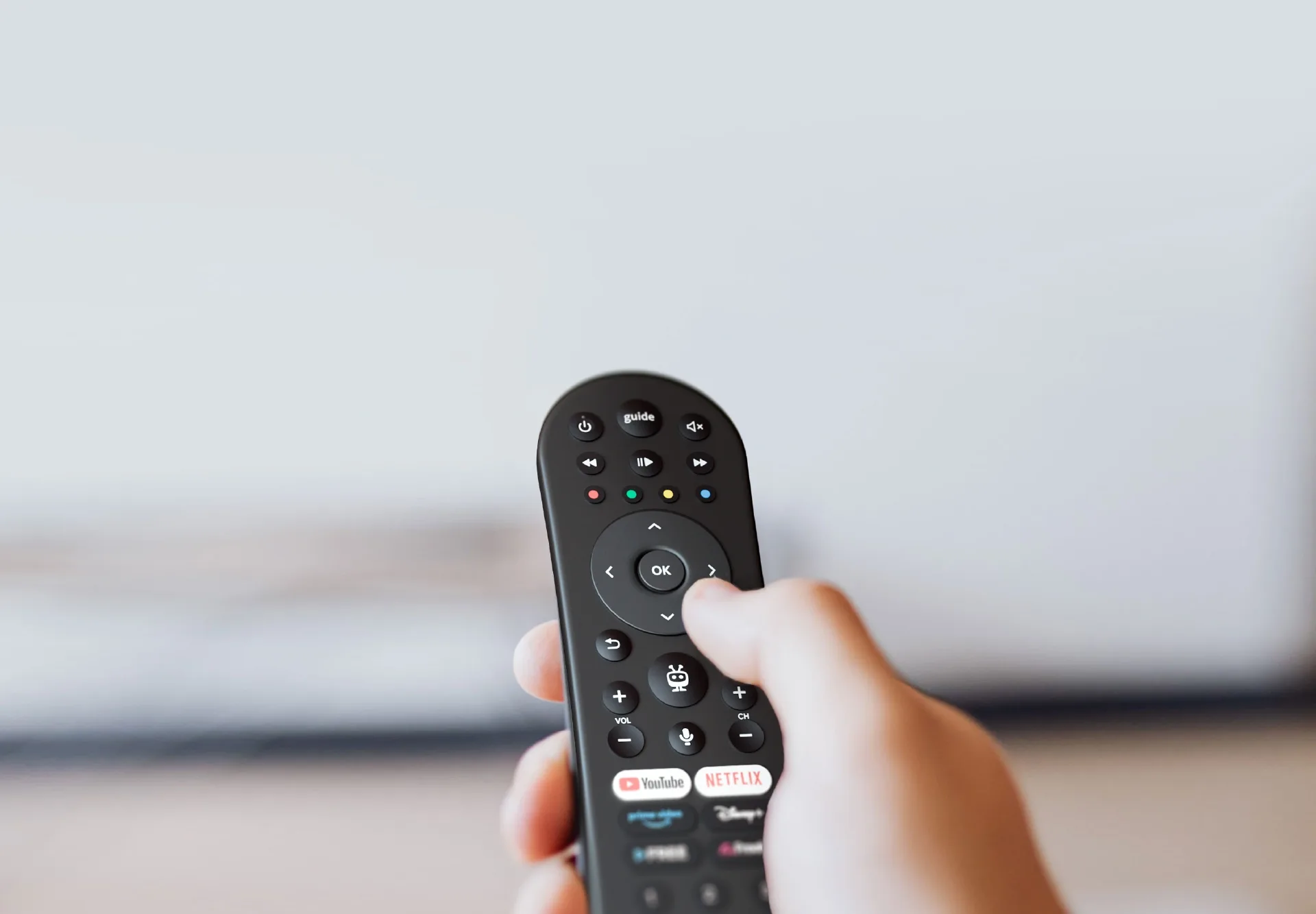
Stream Netflix, Disney+, Prime Video, HBO Max, YouTube and more on Aero, with the award-winning TiVo OS. TiVo+ adds 400+ free streaming channels and a huge library of free movies and shows.

One little box
Everything in one place
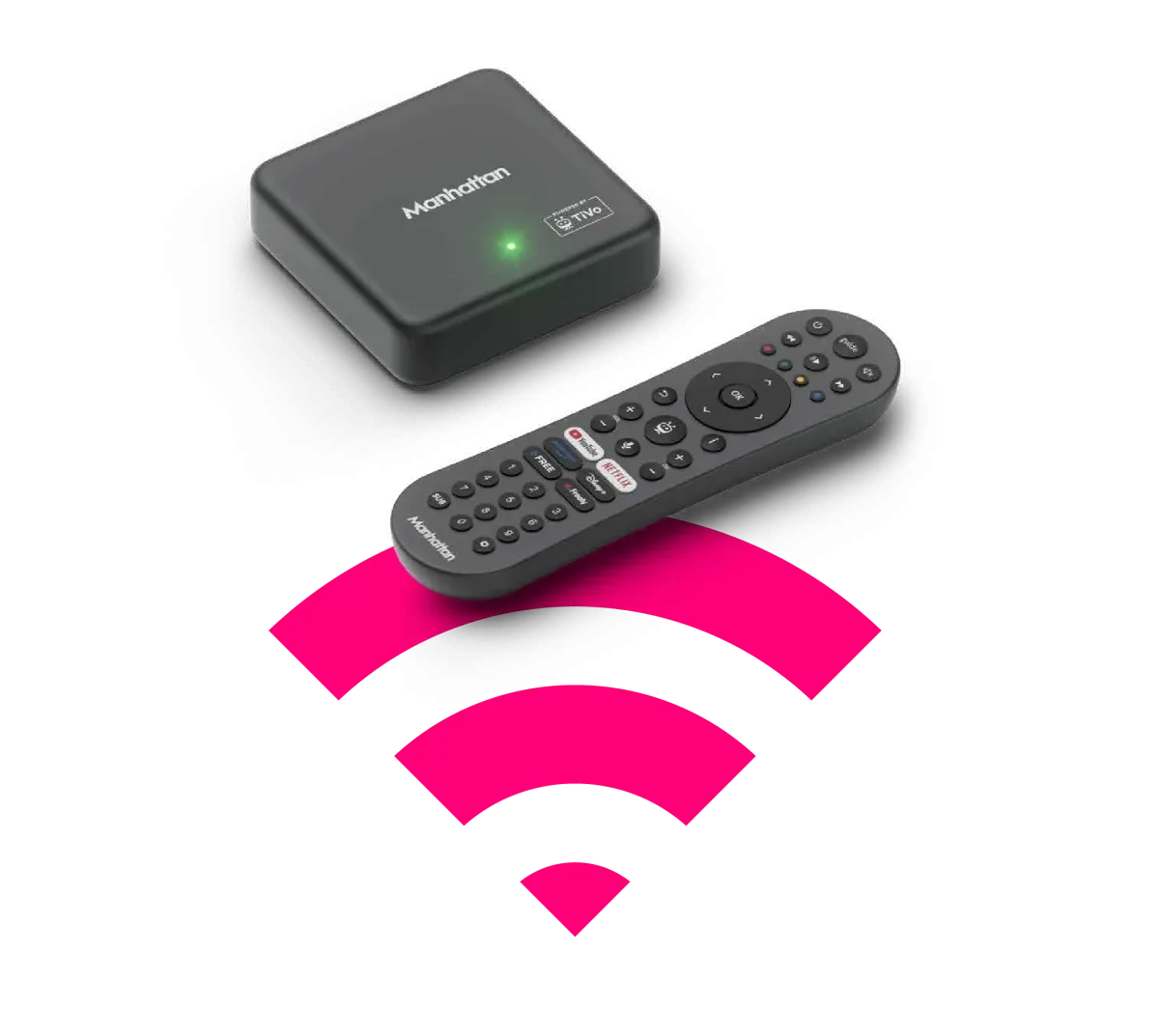
One box and one remote for everything – live channels, catch-up, your streaming apps, hundreds of free extra channels and shows, plus cloud gaming. Plug it into your TV, connect to Wi-Fi and it's ready to go. No aerial, no contract, no monthly bill.
All you need is Wi-Fi
Proper telly anywhere where your aerial can’t reach. Want to add a TV but wary of the installation hassle? Bedroom, kitchen, conservatory – plug the Aero into any TV, connect to Wi-Fi and you're in business.

Voice Search
Aero's TiVo-powered voice search lets you search by title, mood, or even a quote. Just say 'thrillers', 'show me something funny' or 'here's looking at you, kid'.

Easy Upgrade & Setup
Aero lets you transform your telly experience without having to replace your TV. Just plug in the supplied HDMI cable, connect to Wi-Fi and you'll be streaming in minutes.

Great British Telly,
Great British Brand
Manhattan's UK-based team is there when you need them: real people, real help, backed by a 2-year warranty.
What is Freely?
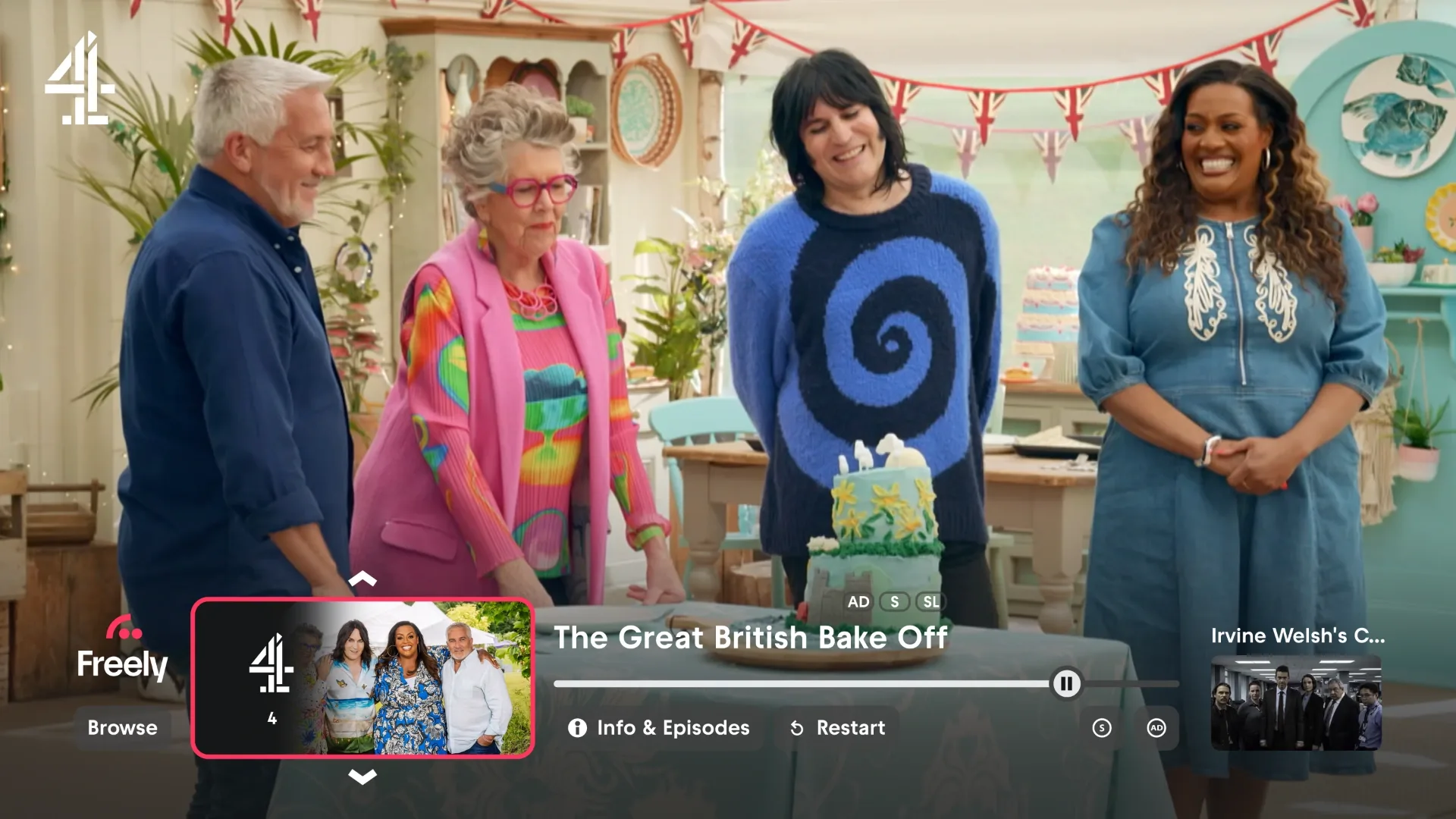
Freely is the latest free TV platform from the people behind Freeview and Freesat – a consortium of the UK's top broadcasters including the BBC, ITV, Channel 4 and 5. The Manhattan Aero brings Freely to anyone with a TV, giving you access to this platform without having to upgrade your set. Learn more.
Turn Your Telly into a Games Console
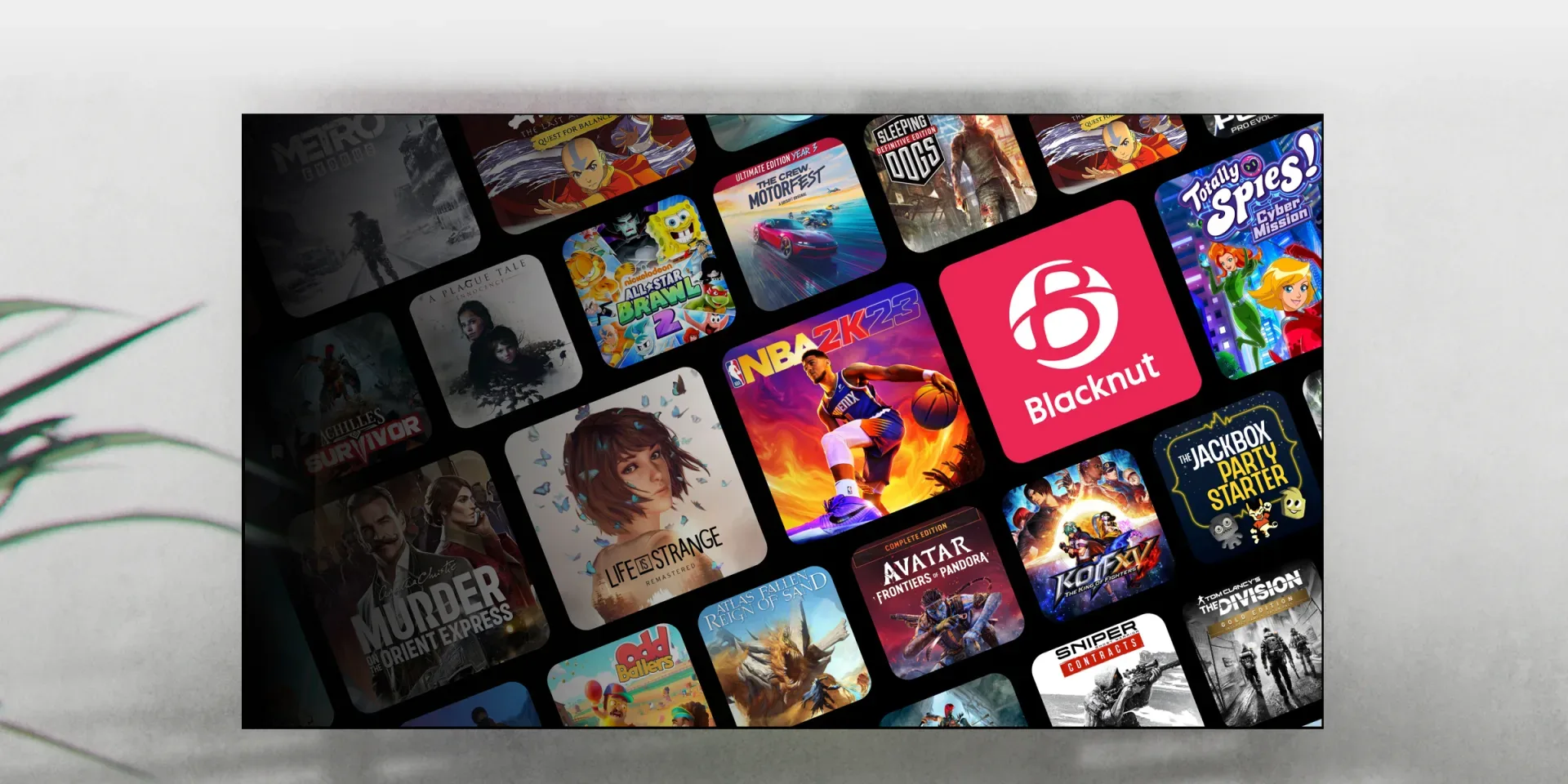
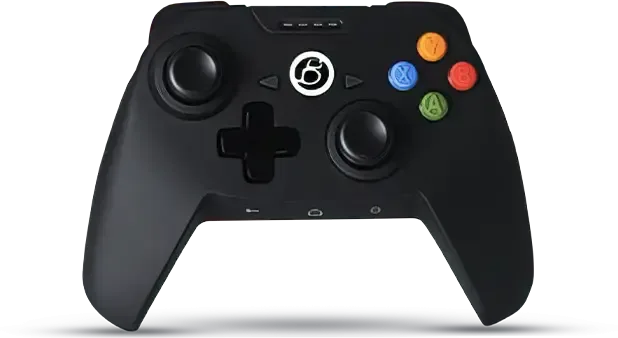
Aero now brings you Blacknut, the cloud gaming service that streams 1,000+ premium games straight to your TV - no console, no gaming PC, no downloads. Gaming is as easy as streaming a movie. Subscribe to Blacknut, then pair a Bluetooth controller or use your phone as a virtual gamepad to play.
Play 1000+ games
Fast, Smooth & Responsive
Powered by a quad-core processor and the latest Wi Fi 6, Aero keeps up with everything you throw at it. Apps launch quickly. Streams stay smooth. Switching is seamless.
Say It. See It.
Aero's remote gives you easy one touch access to some of the worlds most popular apps, including Disney, Netfilx, Prime, YouTube and more.


Connect to Wi-Fi or Ethernet
2-year warranty
We back the Aero with a 2-year warranty and in-house technical support right here in the UK. Simply register within 30 days of purchase to activate.
Premium HDMI cable
The Aero delivers exceptional value and even includes a premium 1.2M HDMI cable that supports resolutions up to 4K/60Hz.
Yes. The Manhattan Aero outputs in 4K and supports 4K streaming from BBC iPlayer, Netflix, Disney+, Prime Video, and YouTube.
It supports HDR10 and HDR10+. Dolby Vision isn’t supported, but HDR10+ uses dynamic metadata that adjusts the picture scene by scene, much like Dolby Vision, so HDR quality is very close in practice.
Freely live TV channels aren’t broadcast in 4K, although the Aero’s hardware supports it.
Many of the Aero’s apps stream in 4K where the content supports it, including:
- BBC iPlayer
- Netflix
- Amazon Prime Video
- Disney+
- HBO Max
- Rakuten TV
- YouTube
You’ll need a 4K TV and a suitable HDMI connection for 4K playback. For everything available on the Aero, see Available Apps, Channels & Services.
No. The Manhattan Aero supports HDR10 and HDR10+, but not Dolby Vision.
HDR10+ uses dynamic metadata that adjusts the picture scene by scene, much like Dolby Vision. In practice, for almost all HDR content you’ll see on streaming services, picture quality is very close between the two.
Format gaps like this are normal across the industry – Samsung TVs, widely considered among the best, don’t support Dolby Vision either, and back HDR10+ instead.
The Manhattan Aero runs TiVo OS, which is designed specifically for streaming. The main differences vs Android TV boxes:
- Built for streaming, not for app sideloading. All apps are pre-loaded and tested for the Aero. New apps are added regularly. You won’t be installing your own apps the way you can on an Android TV box, in exchange for a more consistent and reliable experience.
- Freely is built in. Freely gives you over 100 live UK TV and radio channels through your broadband, with no subscription. Most Android TV boxes don’t include it.
- TiVo Channels brings together over 400 free streaming channels and an on-demand library at no extra cost.
- A curated user experience. Voice search, recommendations, and the Watchlist work across apps rather than just within each one.
If you specifically need to sideload apps, an Android TV box may suit you better. For most customers who want a great everyday streaming experience with UK live TV built in, the Aero is the simpler choice.
10 Mbps or more is enough for Freely and streaming apps to work well on the Manhattan Aero. 4K streams typically peak around 25 Mbps, so a 25 Mbps connection is comfortable headroom for any single stream.
A faster connection isn’t just about raw speed – it gives you more headroom if other devices in the house are using the internet at the same time. Wi-Fi signal in the room with the Aero matters too. If you have an Ethernet cable to hand, that’s the most reliable connection. See Should I use Wi-Fi or Ethernet on the Aero? for more.
No. The Manhattan Aero gets all its live TV through your broadband connection using Freely. You don’t need an aerial, a satellite dish, or any other input – just an HDMI cable to your TV and an internet connection, over Wi-Fi or Ethernet.
This is one of the Aero’s strengths: you can put it in any room with a TV, including rooms with no aerial socket.
Yes, partly. The Manhattan Aero supports HDMI-CEC, so your TV remote can navigate the Aero through the directional pad and OK button, and the TV remote’s power button can turn the Aero on and off.
What doesn’t pass through over HDMI-CEC today: channel up/down, the TV Guide button, number keys, colour buttons, and playback controls. When you press these on your TV remote, the TV usually handles them itself (for example, switching back to its own tuner for channel up/down). This is a TiVo-side limitation that’s been raised with TiVo.
The Home button: on most smart TVs, the Home button opens the TV’s own menu rather than the Aero’s Home screen – TVs handle that button themselves. The Aero’s own remote is the best option for full navigation.
Volume: the Aero remote can control your TV or soundbar volume directly with the CEC Volume Control setting (from software 19.1021.153). Compatibility varies by TV – LG TVs don’t support it, and with Samsung, models we’ve tested from 2024 onwards work, but earlier ones didn’t. See HDMI-CEC Volume Control on Aero for setup and the full compatibility picture.
Yes. Pair Bluetooth headphones with the Manhattan Aero through Devices → Bluetooth Accessories.
The Aero supports Bluetooth speakers too. Bluetooth introduces a small amount of audio delay, so if you find lip sync noticeable, a wired headphone connection through your TV’s headphone socket is usually cleaner.
The same Bluetooth Accessories menu is where you’d pair a gamepad or keyboard. Mice aren’t currently supported. Voice control only works through the Aero’s own remote. For pairing steps and the full picture, see Bluetooth Accessories.
Yes. Blacknut cloud gaming uses Bluetooth gamepads on Aero – see Cloud Gaming.
Pair a gamepad through Devices → Bluetooth Accessories. Sony’s DualSense for PS5 and Microsoft’s Xbox Series X|S controllers have been validated on Aero. Most modern Android-compatible Bluetooth gamepads should work, but compatibility can’t be guaranteed for every model.
No – Aero doesn’t come with a games controller, and Blacknut is a separate subscription that isn’t included with the box.
You don’t need a controller to get started: the free Blacknut Gamepad Companion app turns your phone into a virtual gamepad – scan the QR code shown on your TV to connect it.
For the full experience, pair a Bluetooth controller via Devices → Bluetooth Accessories. Sony’s DualSense (PS5) and Microsoft’s Xbox Series X|S controllers have been validated on Aero, and most modern Android-compatible Bluetooth gamepads should work – see Can I use a gamepad with the Aero? and Cloud Gaming.
Keyboards are partially supported on the Manhattan Aero. A Bluetooth keyboard works well for typing in some apps and search boxes. Pair it through Devices → Bluetooth Accessories.
Mice are not currently supported.
If you want to type more easily on the Aero, the voice button on the remote is usually the fastest way – it works well for search.
Yes, HDMI adapters such as HDMI to DisplayPort or HDMI to DVI work with the Manhattan Aero, as long as your display supports HDCP (the copy protection streaming services require) – HDCP 2.2 for 4K, HDCP 1.4 for Full HD. Most TVs and monitors from the last decade support this.
Displays without HDCP – particularly older DVI monitors – will show an error or a blank screen in streaming apps.
Most modern monitors already have HDMI, so an adapter often isn’t needed.
No, the Manhattan Aero runs TiVo OS, which is a curated platform – you can’t download or sideload your own apps.
What you get instead is a consistent, reliable set of apps that are pre-loaded under All Apps on the Home screen, all tested and optimised for the Aero. New apps are added to TiVo OS regularly and appear automatically. You can choose which apps appear in My Apps on the Home screen so the ones you use most are always to hand.
If there’s an app you’d like to see on TiVo OS, let us know – we feed app requests back to TiVo.
Yes. The Manhattan Aero has a simple web browser. Press and hold Home to open All Apps, then open the www app. Press up to bring up the on-screen keyboard, type a web address, then select Go.
You can use it to run a speed test on your connection: see Network troubleshooting steps.
The browser needs an internet connection to open, so it can’t be used to sign in to hotel or public Wi-Fi login pages. See Why won’t the Aero connect to hotel or public Wi-Fi? for how to get the Aero online in those places.
Yes, the Manhattan Aero plays media in two ways:
- From a USB drive plugged into the Aero’s data USB‑C port. The Media Player app on the Home screen will pick it up. The Aero supports a wide range of common formats including MKV, MP4, MOV, AVI, and others. For full details, see What USB drives and video formats work with the Aero?
- Through Plex, if you have a Plex Media Server on your home network. The Plex app on the Aero will connect to it. See Can the Aero stream from a NAS or my computer? for more
The Aero doesn’t include a built-in DLNA media player, so it can’t browse files on a NAS or computer directly. Plex is the most reliable way to play your own video library on the Aero.
No, the Manhattan Aero can’t record live TV. It’s a streamer, not a recorder.
Live TV on the Aero comes from Freely, which delivers channels over your broadband as an internet stream. Broadcasters don’t allow streamed content to be recorded, so recording isn’t possible on Freely on any device. Everyone TV, who run Freely, have confirmed that Freely will never support recording.
You can pause live TV for up to 15 minutes on the Aero. After that, the options are to resume from where you paused or jump straight back to live.
For full recording, including series recording, pause, and rewind, the Manhattan T4‑R Freeview Play TV Recorder or Manhattan S4‑R Freesat TV Recorder are the right choice. They record from your aerial or satellite dish through a single integrated guide, and connect to any TV over HDMI. The T4‑R or S4‑R and an Aero pair well together – use Freely for live and catch-up, and the T4‑R or S4‑R for recording.
For more detail on the reasoning, see Why doesn’t Manhattan make a Freely recorder?.
Freely is delivered as an internet stream rather than a broadcast signal, and broadcasters don’t allow streamed content to be recorded. That’s not specific to the Manhattan Aero – it applies to Freely on any device. Everyone TV, who run Freely, have confirmed Freely will never support recording.
A hybrid box that recorded from an aerial and streamed from broadband sounds appealing, but the trade-offs don’t add up. It would mean two different guides, different channel numbers, and a fiddly experience for both live TV and recording. The Humax Aura EZ is the only hybrid box on the market and the reviews bear this out.
Our approach is to offer products that each do one job well:
- Manhattan Aero – streaming over broadband, with no aerial or dish needed
- Manhattan T4‑R – full Freeview recording from an aerial, including pause, rewind, and series recording
- Manhattan S4‑R – full Freesat recording from a satellite dish, including pause, rewind, and series recording
They complement each other for households that want both streaming and recording. You can read more about what’s new on the T4 range on our blog.
The Manhattan Aero is built for UK use. Freely and UK catch-up apps (BBC iPlayer, ITVX, Channel 4, My5, and so on) are geo-blocked outside the UK by the broadcasters.
Other streaming apps (Netflix, Disney+, Prime Video, YouTube, and similar) follow their own regional rules. You’ll generally see your home region’s content while abroad, in line with each service’s terms.
If you’re in Ireland, Europe, or elsewhere outside the UK and already own a Manhattan Freesat box, that remains the best option for free-to-air UK TV via satellite.
No. Manhattan doesn’t sell directly to customers. The Manhattan Aero is available from Amazon, Currys, John Lewis, and a range of independent retailers.
The one exception is spare remotes and power supplies, which we sell by phone – see Where can I buy a spare remote or power supply?.
You can pause live TV on Freely for up to 15 minutes on the Manhattan Aero. After that, the options are to resume from the pause point or jump back to live. There’s no fast-forward, rewind, or scrubbing on a paused programme.
This is because Freely’s pause is a streaming buffer rather than a recording. It’s one of the key differences between Freely and Freeview: a Freeview recorder like our T4‑R gets a 2‑hour rolling buffer with full pause, rewind, and fast-forward, because it’s working from a broadcast signal.
Some Freely apps allow restarting the current programme from the beginning. Whether you can pause, fast forward, or rewind on a restarted programme depends on the broadcaster – BBC iPlayer allows full playback controls on restarted content, while some others don’t.
If pause and rewind are essential, the Manhattan T4‑R is the right product for you. Many customers pair a T4‑R with an Aero or a Freely-built-in TV: the Aero handles live streaming and catch-up, the T4‑R handles recording.
Live TV ads can’t be skipped on the Manhattan Aero, because live channels are broadcast in real time.
Catch-up and on-demand apps vary:
- Most free tiers include non-skippable ads
- ITVX and Channel 4 offer paid subscription tiers that remove ads entirely. If you already subscribe, sign in with your existing account on the Aero and you’ll get the ad-free experience automatically
These rules are set by the broadcasters and app providers, not the Aero.
In the box you’ll find:
- The Manhattan Aero box
- A Bluetooth and IR remote control with batteries
- A 5 V DC, 2 A power supply with a 2.5 m USB‑C cable
- An HDMI cable
- A Quick Start Guide
An Ethernet cable isn’t included. If you’d prefer to connect by Ethernet rather than Wi-Fi, any standard Cat5e or Cat6 cable will work.
The Manhattan Aero doesn’t include a built-in DLNA media player, so it can’t browse files on a NAS or computer directly.
The way to do it is Plex, which is available on the Aero. Run a Plex Media Server on your computer or NAS, and the Plex app on the Aero will stream your library from it. Emby isn’t currently available – apps on the Aero are decided by TiVo, who make the operating system, and new ones are being added all the time.
You can also play videos from a USB drive plugged into the Aero’s data USB‑C port. See What USB drives and video formats work with the Aero? for the supported drives and formats.
Both work well on the Manhattan Aero. Choose based on what’s easiest for your setup:
- Ethernet gives the most reliable connection and is the best option if your Aero is near the router or you can run a cable to it. The Aero has a 100 Mbps Ethernet port, which is more than enough for 4K streaming (4K usually maxes out around 25 Mbps). Any standard Ethernet cable (Cat5e, Cat6, or similar) will do. An Ethernet cable isn’t included in the box.
- Wi-Fi is convenient and works well as long as the Aero gets a solid signal where it sits. Modern Wi-Fi can comfortably handle 4K streaming.
If you’re using Ethernet and want to switch Wi-Fi off completely, you can do that under Settings → Network → Wireless Network → Turn Off.
Not currently. The Manhattan Aero doesn’t have a public API for smart home systems like Control4, Crestron, Nice/Élan, or Home Assistant.
We’ve raised this with TiVo, who make the operating system the Aero runs on. It’s on their backlog, but with no commitment to if or when they’ll look at it, so we wouldn’t recommend planning an installation around it.
In the meantime, you can use HDMI-CEC to give your TV remote some control of the Aero, which can be enough for many use cases.
During setup, all the terms and conditions – including the data-sharing agreements and the privacy consents for voice commands and viewership data – are displayed on screen. You can read them in full and choose to accept or reject each one before you start using the box. These consents are controlled by TiVo OS; Manhattan does not collect any data from the Aero.
If you’d like to review or change your data-sharing choices later, go to Settings → Legal on the Aero.
For voice control, the microphone in the remote is only active while you hold down the mic button to make a voice request – it is not listening the rest of the time. If you’d rather not use voice control at all, simply don’t press the mic button, or choose not to pair the remote during setup: it will work over infrared instead, and the microphone won’t function at all.
Features
Bring Freely to Any TV
Aero brings the new streaming platform from the UK's top broadcasters to any TV. Enjoy over 70 live TV channels and 75,000+ hours of on-demand from the BBC, ITV, Channel 4 and more – all for free.
All You Need is Wi-Fi
No aerial, no dish, no installation. Aero frees you to watch live TV in any room with a Wi-Fi signal.
Everything in One Place
Aero is powered by the award-winning TiVo OS, so on top of Freely, there's Netflix, Disney+, Prime Video and more. Plus, TiVo+ gives you another 400+ free streaming channels and a huge library of free on-demand movies and shows.
Just Ask
Search by title, mood, or even a quote with the voice remote. Say 'thrillers', 'show me something funny' or 'here's looking at you, kid'.
4K Your Way
Stream your favourite shows and movies in stunning 4K over Wi-Fi 6 or Ethernet.
Easy Upgrade & Setup
Transform your telly experience without replacing your TV. Just plug in the supplied HDMI cable, connect to Wi-Fi and you'll be streaming in minutes.
Great British Telly, Great British Brand
Manhattan's UK-based team is there when you need them.
Specifications
In the box
- Premium high speed 1.2m HDMI cable, supports resolutions up to 4K/60Hz
- Quick Start Guide
- Voice remote control & batteries
- AC power adapter
Dimensions
Width: | 96.4 mm |
Height: | 96.4 mm |
Depth: | 26 mm |
Weight: | 190 g |
Power consumption
Active Average*: | < 2.5 W |
Active Max*: | < 4.5 W |
Network Standby/Sleep: | < 0.3 W |
Passive Standby: | < 0.2 W |
* Playing 4K video for 5 minutes with Bluetooth and Wi‑Fi connected
Connections
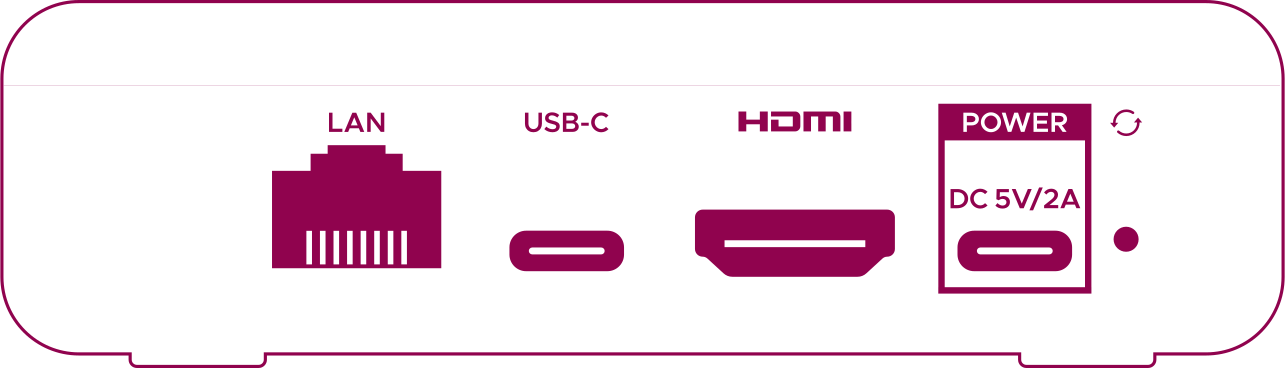
LAN: | Connect to an internet router for a wired connection |
USB-C: | Connect a USB-C storage device for media playback |
HDMI: | Connect to a TV or AV Receiver's HDMI port |
POWER: | Connect the supplied USB-C power lead here, then plug the other end into a power socket |
