Aero won't turn on
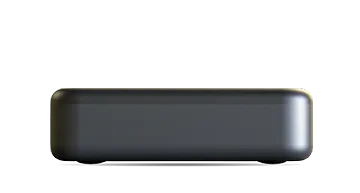
If your Manhattan Aero seems to show no signs of life, the light on top of the box tells you a lot: it glows red in standby and green when the Aero is on.
First, cut the power
Whatever the light is showing, the quickest first step is to cut the power completely: unplug the Aero’s power lead (or switch it off at the mains socket), wait about ten seconds, then plug it back in and see if it comes back to life. A full power cycle like this clears most one-off glitches.
Check the light on top
If cutting the power didn’t help:
- No light at all – power isn’t reaching the Aero. Work through the steps below.
- Red light – the Aero is in standby. Point the remote at the front of the Aero and press the power button. If nothing happens, check the remote: its light should flash each time you press a button. If it doesn’t flash, put in fresh batteries. If it still doesn’t respond, or it flashes but the Aero doesn’t wake, take the batteries out for a few seconds and put them back in. There’s no power button on the box itself, so if the remote still won’t wake it, switching the TV on with its own remote will also wake the Aero when HDMI-CEC is on.
- Green light – the Aero is on. If there’s no picture, the problem is the connection to the TV rather than power: check the TV is on the right HDMI input and the HDMI cable is firmly seated at both ends.
No light? Check the power lead is in the right port
The Aero has two USB‑C ports: a red POWER port and a data port for USB drives. The Aero only takes power through the red POWER port – with the lead in the data port, the box gets no power at all and the light stays off. This is the most common cause, especially after unboxing or re-connecting everything.
Use the supplied power supply
The Aero needs a 5 V DC, 2 A power supply, and the one in the box provides exactly that. Other USB‑C adapters, and USB ports on TVs, may not deliver enough power – an under-powered Aero may light up and even start, but can then freeze or restart unpredictably. If you’re using anything other than the supplied plug and lead, switch back.
Check the mains socket
Make sure the socket is switched on, and try another socket you know works.
If the plug won’t go into the socket at all, the earth pin ships folded down for compact packaging – see Why doesn’t the power plug fit my socket?.
Still nothing?
If the Aero powers up but never finishes starting, that’s a different issue – see Aero stuck, frozen, or not responding.
If the light stays off with the supplied power supply in the red POWER port, get in touch with our support team and we’ll get it sorted.