T4•R Freeview TV Recorder
The Great Escape
No monthly bills, no contracts, just TV on your terms.
Record, pause and rewind over 100 channels, and instantly access 60,000+ hours of on-demand and catch-up TV.
From £169.99RRP
Choose your model






Born in the U.K.
Designed in Britain for great British telly lovers, the T4•R brings together live, on-demand, and recorded TV – all in one place, and all for free.
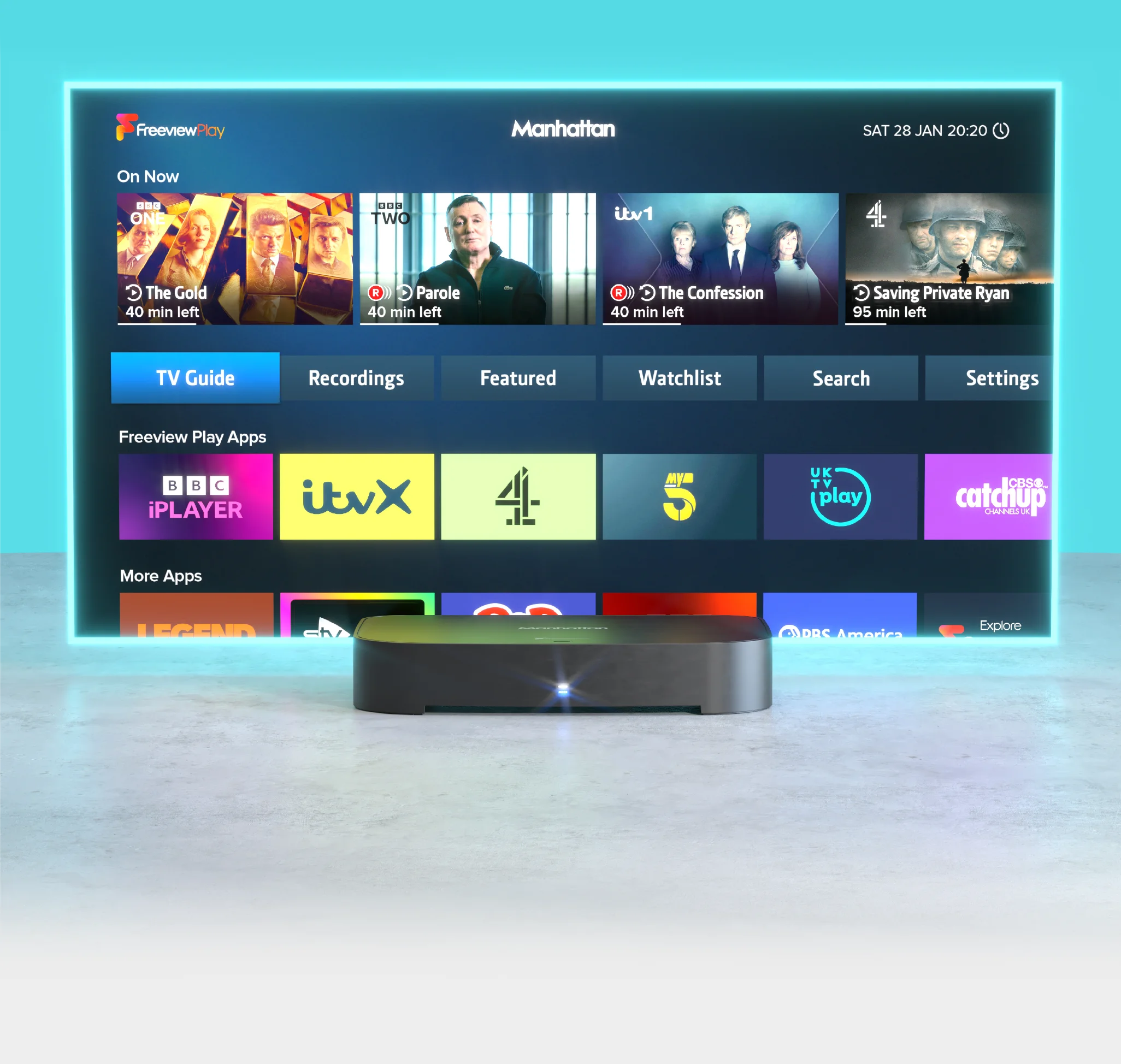
Record, rewind, replay.
There's no better way to enjoy your favourite series than with the T4•R. Set all episodes to record with a tap, then sit back and let them roll with continuous playback.
With the ability to record two programmes while you watch a third, and a smart feature to avoid clashes, you'll never miss a show.

Collect the TV you love.
Featuring up to 1200 hours of recordings, the T4•R turns a mountain of TV into your very own neatly organised collection.
Your recordings are categorised automatically, making it easy to continue where you left off or to dive into your movies, dramas and series.
Sort and filter recordings to quickly find your next watch, from unwatched gems to accessible content. And for peace of mind, the 'Recently Deleted' section is your safeguard against accidental deletions.

Never miss a moment
Live pause on the T4•R lets you catch every mic-drop moment. Because it's always recording you can just hit pause on live TV, rewind, or record halfway through to keep the whole show. It's like having a time machine in your telly.
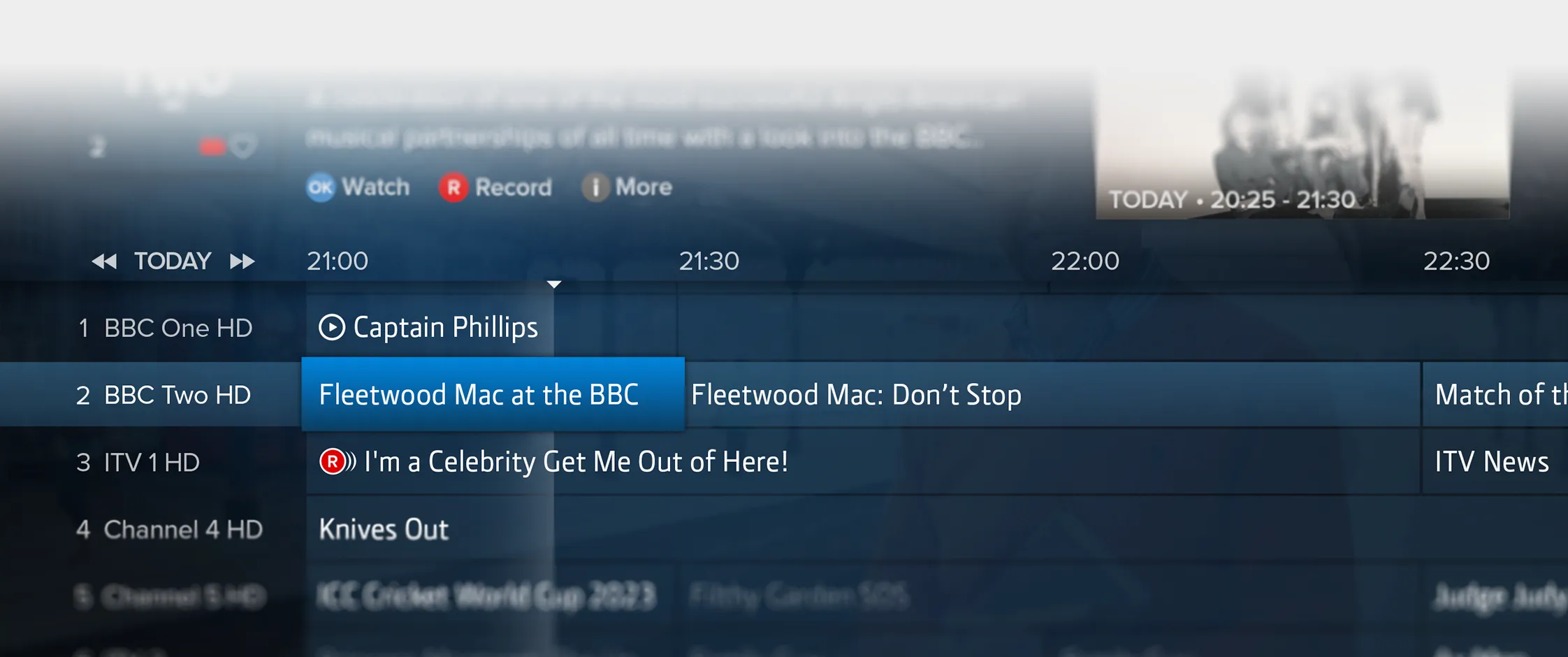
TV Guide +
View your way.
Whether you're in the mood for a blockbuster movie or a gripping drama, the Genre view helps you find exactly what you want. Explore your favourite channels with the Channel view or use the traditional Grid view for a broader look at what's on.
Your telly, your choice.
Looking for programmes with Subtitles, Audio Description or Sign Language? In the mood for movies in HD or dramas on your favourite channels? Whatever you need, our filter makes it easy to find.
Explore a week ahead. Or back.
Missed your favourite show? Or planning your week's viewing? Seamlessly catch up on past episodes and discover what's coming soon, all from the Guide.
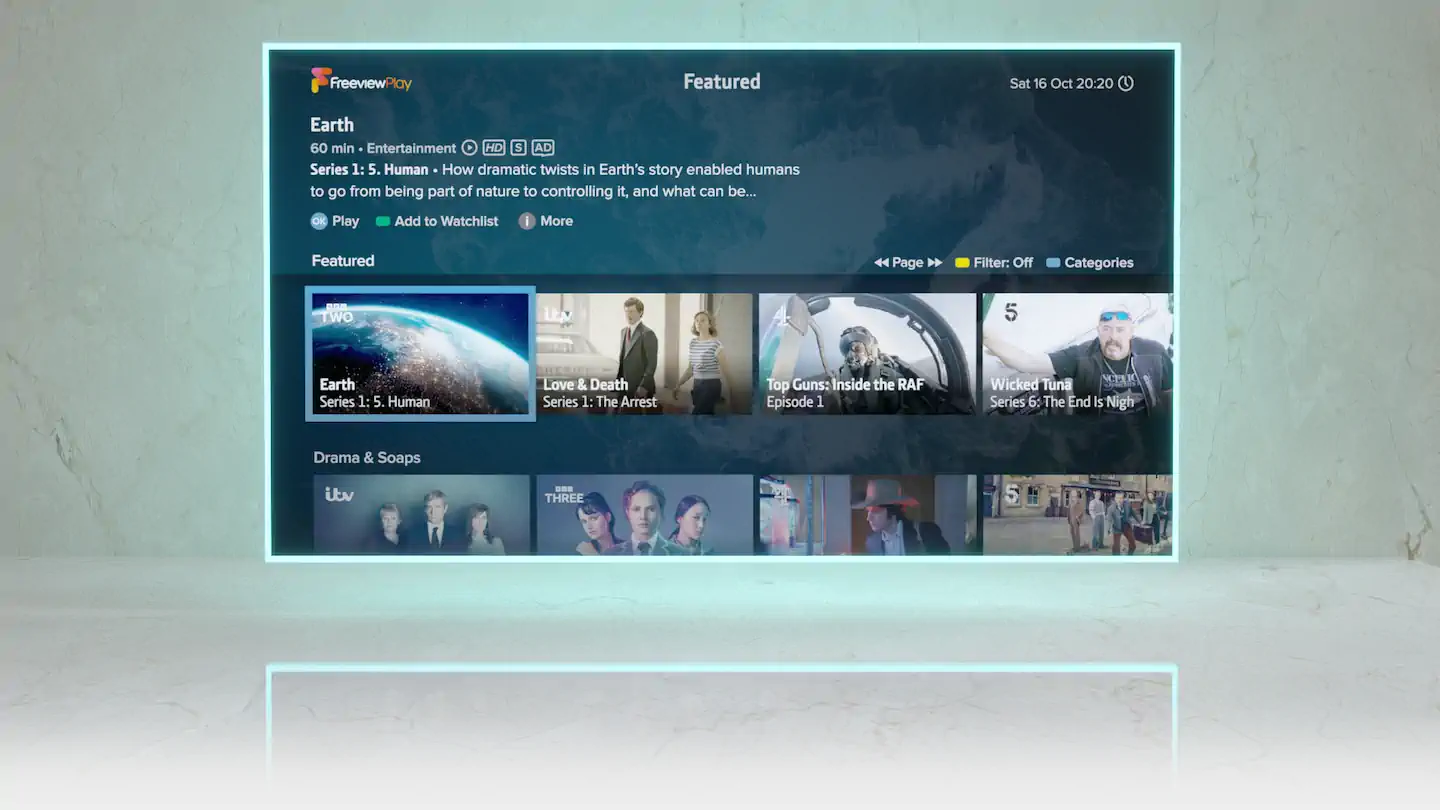
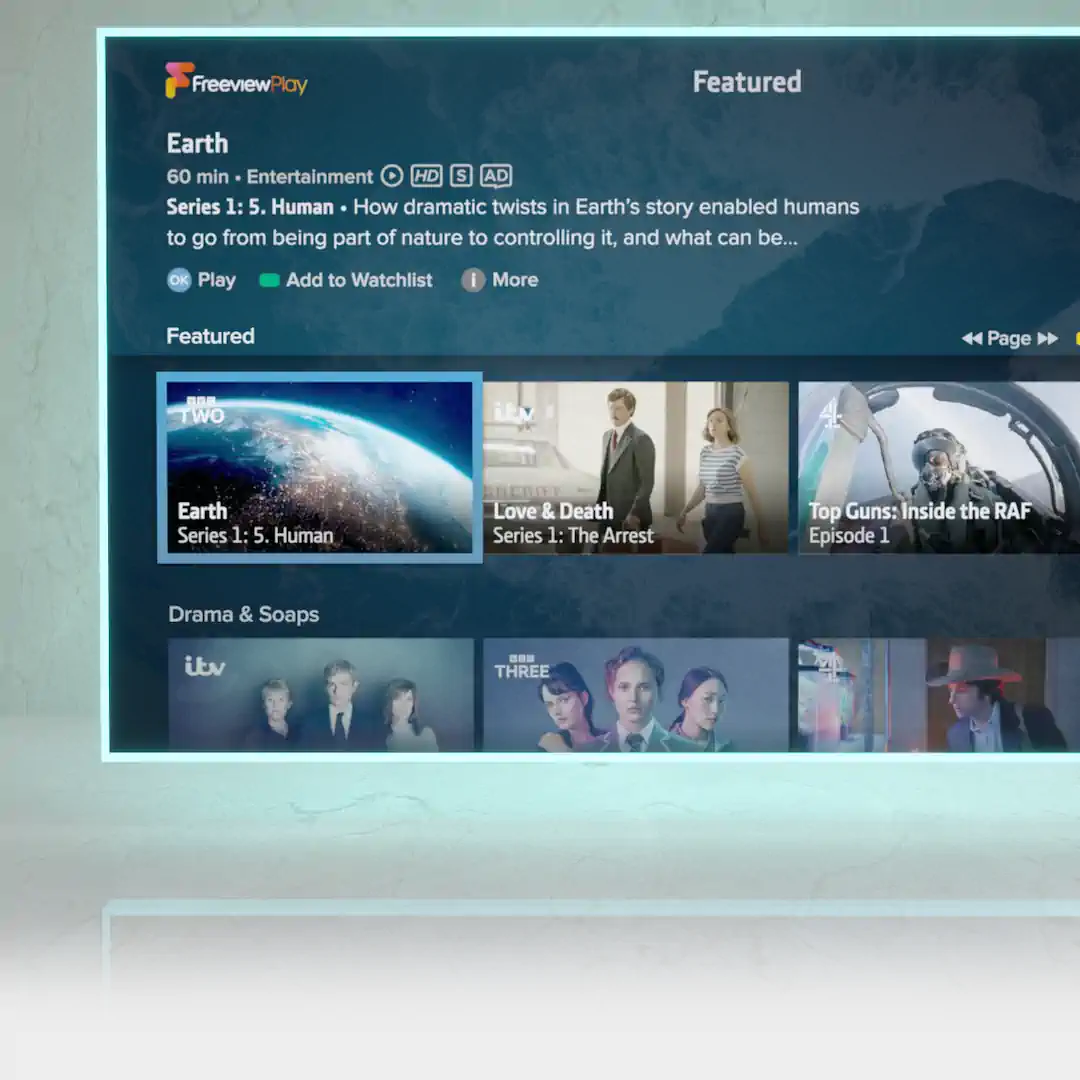
On Demand made simple.
Explore featured on demand programmes from across all of the apps, categorised into Comedy, Movies, Sport and more. Play instantly, or save to your Watchlist to watch when you're ready.
Smart search.
Quickly find any programme airing in the next week, or available on-demand from the apps, all in one place.
Ultra High Definition
- Get closer to the action with over 8 million pixels
- Enjoy incredible detail with BBC iPlayer & YouTube in stunning 4K
- HDR Ultra HD



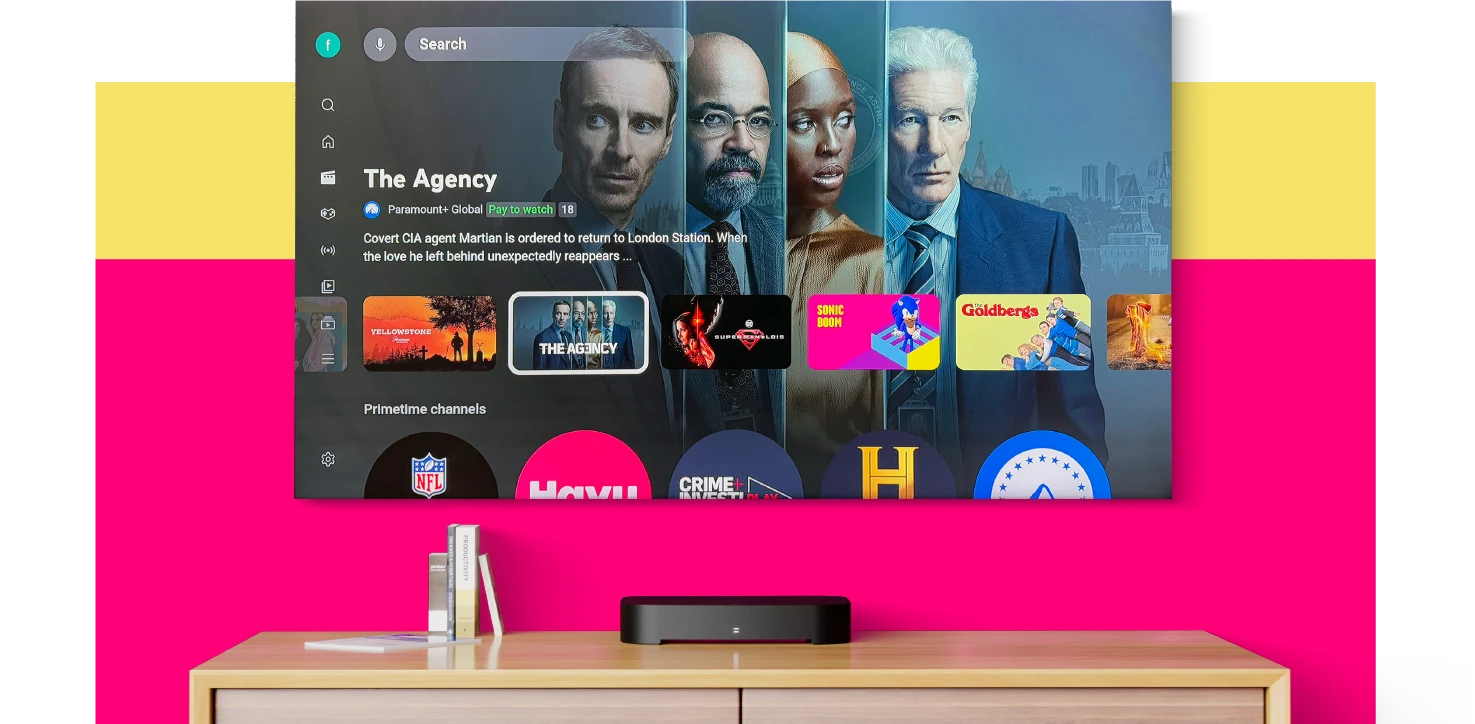
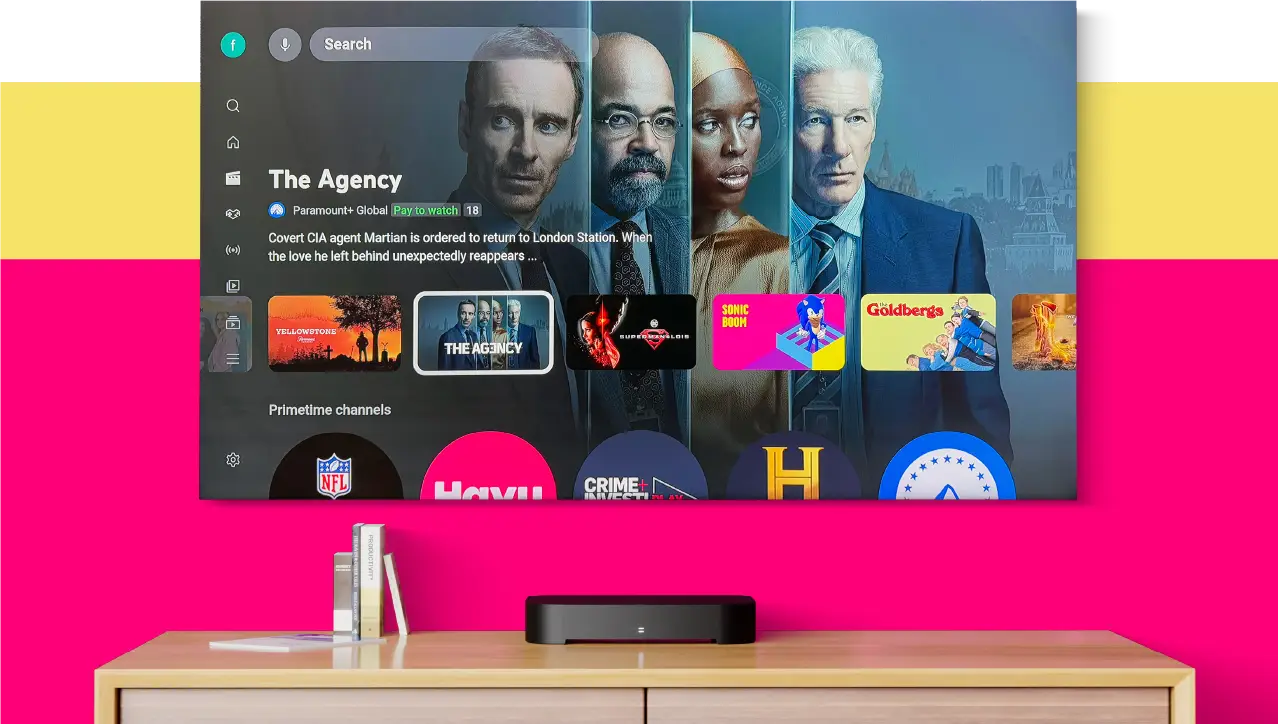
From viral sensations and must-watch creators, to your favourite channels and trending content, experience YouTube exactly as it should be - on the biggest screen in the home.
Turbocharged telly.
The quad-core processor ensures lightning-fast responses, Ultra HD HDR delivers stunning pictures and 802.11ac dual-band Wi-Fi keeps your streaming silky smooth.
Plus, the T4•R wakes up instantly and maintains an ultra-low power consumption at all times.
Included
All-in-one remote.
Our remote has a clean layout and sleek, organic design that sits perfectly in your hand. And because it can control your TV, you won’t need another remote.
2-year warranty.
We back the T4•R with a 2-year warranty and in-house technical support right here in the UK. Simply register within 30 days of purchase to activate.
Premium HDMI cable.
The T4•R delivers exceptional value and even includes a premium 1.2M HDMI cable that supports resolutions up to 4K/60Hz.







Connect to an aerial and broadband
The T4•R needs an aerial to pick up most live TV and radio channels, and an internet connection for catch-up and on-demand services.
From our blog

T4 Deep Dive #1
Unveiling the redesigned TV Guide
Browsing what's on and catching up is easier than ever.

T4 Deep Dive #2
Search and discover great telly
Quickly find what you're looking for or discover something new – all before the kettle's even boiled.
T4 Deep Dive #3
Record and pause TV on your terms
Take control of your TV viewing with the T4’s new live pause and the T4·R’s recording and live pause features.

What's new?
What's new with the Manhattan T4 range?
Here’s a breakdown of everything new and improved in our T4 range.
The T4•R builds on the strengths of the T3•R and T2•R, with more powerful hardware for improved performance. It introduces many new features while retaining the user-friendly interface that our customers love, adding significantly more flexibility and customisation.
Our blog covers the redesigned TV Guide in Deep Dive #1: Unveiling the T4’s redesigned TV Guide, which makes browsing and catching up easier. Deep Dive #2: Search and discover great telly explains how you can quickly find or discover new shows. Our next deep dive will cover the recording and playback features.
In response to user feedback, we’ve added a front-panel LED that lights up white during active recording. The T4•R also addresses demand for more storage, offering 500GB, 1TB, and 2TB options, compared to the T3•R’s 1TB limit.
The T4•R needs a rooftop aerial to pick up most live TV and radio channels. We don’t recommend using an indoor aerial. You can stream some channels over the internet, but they cannot be recorded.
If you don’t have an aerial but do have a satellite dish, check out our Manhattan SX Freesat HD Box. It offers access to hundreds of TV and radio channels, making it an excellent, budget-friendly alternative for former Sky subscribers.
The T4•R works perfectly as a Freeview TV recorder without an internet connection, and you can use the TV Guide to browse shows for the next seven days. However, to access all features, including catch-up and on-demand services, you need to connect it to the internet. You can easily set it up using Wi-Fi or an Ethernet cable for a wired connection. Being online also ensures your T4‑R receives the latest software updates automatically. If you choose not to connect to the internet, you can still download updates from our website and install them using a USB stick.
Yes, the T4•R allows you to instantly pause and rewind up to the last two hours of the channel you’ve been watching.
With Freeview, you can get over 100 channels, all with no subscription. The exact number of channels you’ll get depends on the coverage at your address. Use the Freeview Channel Checker to find out the ones available to you.
The T4•R is a Freeview device — it uses your aerial for live TV, not broadband. If you’re looking for Freely, our Manhattan Aero is designed specifically for that.
That said, here’s why the T4•R might still be the better choice for you:
- Recording. Freely doesn’t support recording at all. The T4•R lets you record programmes to keep forever, skip ads, and watch on your schedule — not just when catch-up allows.
- Pause and rewind. The T4•R’s 2‑hour rolling buffer means you can pause or rewind live TV on any channel. Freely only offers 15-minute pause.
- No broadband dependency. Your aerial handles the live signal, so even if your internet goes down, your TV keeps working.
- Our fourth-generation TV Guide. Three views (Grid, Channel, Genre), powerful filters, and universal search of both broadcast and on-demand programmes – designed to make finding what you want genuinely easy.
If you want Freely’s advantages – more HD channels and no aerial needed – the Aero is our product for that. But if recording and full control over live TV matter to you, the T4•R remains the best choice.
The T4•R is a subscription-free experience that features YouTube, BBC iPlayer, ITVX, 4 (Channel 4), My5, UKTV Play, GREAT! Player, Watch Free UK, PBS America, POP Player, BBC Sounds, STV Player, S4C / Clic, and Explore Freeview Play.
We don’t currently include or have plans to include premium subscription apps like Netflix and Prime.
The T4•R can search for any live TV programme scheduled within the next seven days. It also searches for any on-demand and catch-up programme available from the apps.
When recording on two channels, you can still watch, pause, or rewind a third channel, depending on the channels being recorded. Here’s how it works:
- If the two recording channels are on the same multiplex, you can watch any other channel.
- If the channels are on two different multiplexes, you can only watch channels available on either of these two multiplexes.
A multiplex is a group of channels broadcast together, such as all HD channels. The T4•R allows you to watch a third channel when possible and notifies you if you need to stop recording to do so. You can also set the T4•R to highlight channels you can’t watch with an icon in the TV Guide and Channel Browser by going to: Settings > Menu Preferences > Flag Unavailable Channels.
Yes, the T4•R remote can adjust your TV’s volume, turn it on or off, and change its input by learning from your TV’s remote.
Yes, if it’s connected to the internet through Ethernet or Wi-Fi, the T4•R will automatically look for updates every night and install them if it finds any. If your T4•R isn’t online, you can update it by downloading the update files onto a USB stick and plugging that into the T4•R.
If you’d rather updates didn’t happen on their own, you can turn off Automatic Updates. To do this and to manually check for updates, go to: Settings > System > Software Updates.
The T4•R is designed to save energy. It uses less than 10W when on, only 0.9W when asleep with Wi-Fi, and just 0.3W with Ethernet. It doesn’t have a fan, minimising power use and keeping it whisper quiet.
It also has a feature called Auto Standby. If you don’t press any buttons on the remote for 3 hours, it will automatically go into standby mode. You can adjust or turn off this feature by going to: Settings > System > Standby Options.
Features
Record and Keep
Up to 1200 hours of recordings with the T4-R 2TB. Your favourite shows are always at your fingertips.
Pause and Rewind
Live TV on your terms. Pause when you need a break, rewind to catch that missed dialogue.
Freeview Meets On Demand
Enjoy all your favourite Freeview channels, seamlessly integrated with the convenience of on demand TV.
Intuitive TV Guide+
Browse with ease and discover new favourites.
High-Tech Heart
A quad-core processor, Ultra HD HDR, and 802.11ac dual-band Wi-Fi ensure lightning-fast responses and stunning pictures.
Future-Proof
Stay ahead with automatic software updates over the Internet.
Peace of Mind
Backed by a 2-year warranty and UK support
Specifications
In the box
- Premium high speed 1.2m HDMI cable, supports resolutions up to 4K/60Hz
- Get Started Guide
- Remote control & batteries
- AC power adapter
Dimensions
Width: | 272mm |
Height: | 46mm |
Depth: | 197mm |
Weight: | 500GB: 0.77 kg |
Power consumption
Active (no USB device): | Less than 19W |
Active (with USB device): | Less than 24W |
Network Standby/Sleep: | Less than 2W |
Passive Standby: | Less than 0.5W |

Connections
AERIAL IN: | Connect to an aerial (rooftop is best) to receive Freeview |
LOOP OUT: | Connect to a TV to use its internal tuner |
ETHERNET: | Connect to an internet router |
HDMI: | Connect to a TV or AV Receiver's HDMI port |
OPTICAL: | Connect to an AV Receiver or external sound system for Dolby Digital surround sound (when supported) |
USB: | Insert a USB stick for offline Software Updates |

Quick Start Guide