
TiVo Channels
TiVo Channels brings together more than 400 free streaming channels and a large library of free on-demand entertainment, all available without a subscription.
There are two complementary ways to use TiVo Channels on Aero:
- The TiVo Channels app and TV Guide give channels delivered directly through TiVo a fully integrated live-TV experience. Browse what’s on, tune directly to a channel and add favourites.
- The TiVo Channels section on the Home screen is a wider discovery hub. Alongside TiVo’s directly delivered channels, it brings together free live and on-demand content from services including Plex, Tubi, Pluto TV and Rakuten TV.
Some content plays inside TiVo Channels, while other selections open in the provider’s own app. Together, the app and wider Home screen section give you an enormous choice of free entertainment in one place.
TiVo Channels app and TV Guide
Channels delivered directly through TiVo now have their own TV Guide. You can:
- Browse what’s on now and over the next two days.
- Tune directly to a channel.
- Add your favourite channels for quicker access.
- Open the mini guide without leaving what you’re watching.
You’ll find the TiVo Channels app at the start of My Apps, or you can open it directly using the +FREE button on your Aero remote.
TiVo Channels on the Home screen
The TiVo Channels section in the Home screen sidebar helps you discover an even wider choice of free entertainment.
It brings together handpicked live channels, movies and TV shows from the TiVo Channels app and other free services, including Plex, Tubi, Pluto TV and Rakuten TV.
The Home screen also includes a TiVo Channels Live Carousel showing what’s currently airing. See TiVo Channels Live Carousel for more information.
What you can watch
The exact line-up changes over time as channels are added or removed, but highlights from across TiVo Channels currently include:
Network and broadcast-style channels
- Sony – Action Hits, Comedy Hits, Thriller TV, Dragons’ Den and Faves
- Pluto TV – Action, Comedy, Sci-Fi, Horror, Crime and Reality
- Rakuten TV – Movie channels across a range of genres
Category channels
- News – Bloomberg, CBS News, CNN International, Euronews, France 24 and GB News
- Music – MTV, Stingray and Vevo
- Sports – UFC, FIFA+, World Poker Tour, Tennis+ and Rugby Pass TV
- Kids – Pokémon, Sonic, Teletubbies, The Wiggles and Baby Shark TV
Themed and show-specific channels
The line-up includes channels dedicated to programmes such as Hell’s Kitchen, CSI, Mr. Bean, MasterChef Australia, Unsolved Mysteries and Ice Road Truckers, alongside classics including JAG, MacGyver, Matlock, Hawaii Five‑O, Xena and Farscape.
Free on-demand entertainment
The wider TiVo Channels section on the Home screen also brings together a large library of free movies and TV shows on demand from Rakuten TV, Tubi and other services.
Using the TiVo Channels TV Guide
The TiVo Channels TV Guide covers channels delivered directly through TiVo. Content from other services remains available through the wider TiVo Channels section on the Home screen.
Open the TiVo Channels TV Guide
Press +FREE on your Aero remote, or select TiVo Channels from My Apps.
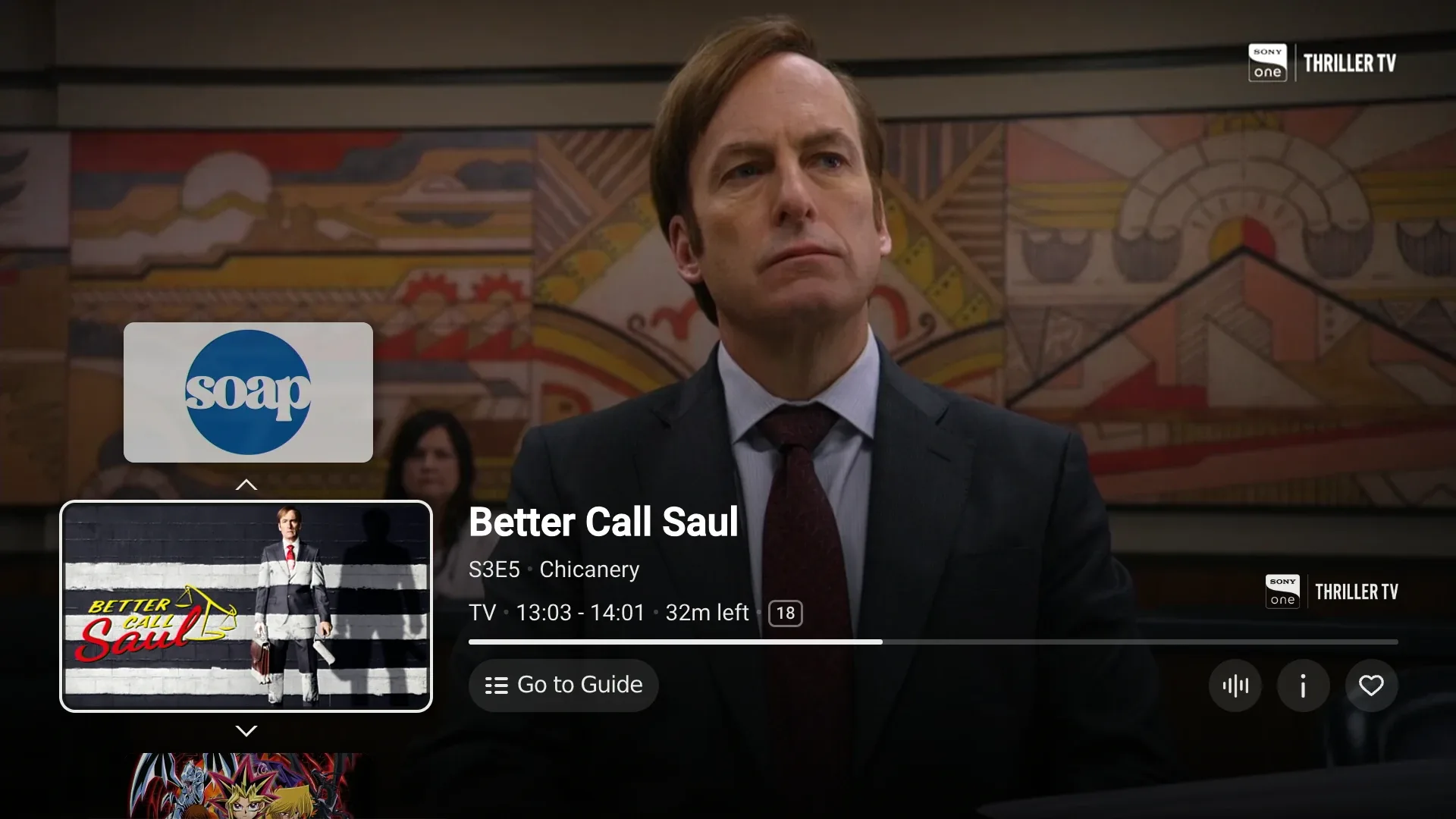
A live channel starts and the mini guide opens over it. Select Go to Guide to open the full TiVo Channels TV Guide.
To reopen the mini guide while watching a TiVo Channel, press OK or any direction on the D‑Pad.
Browse the guide
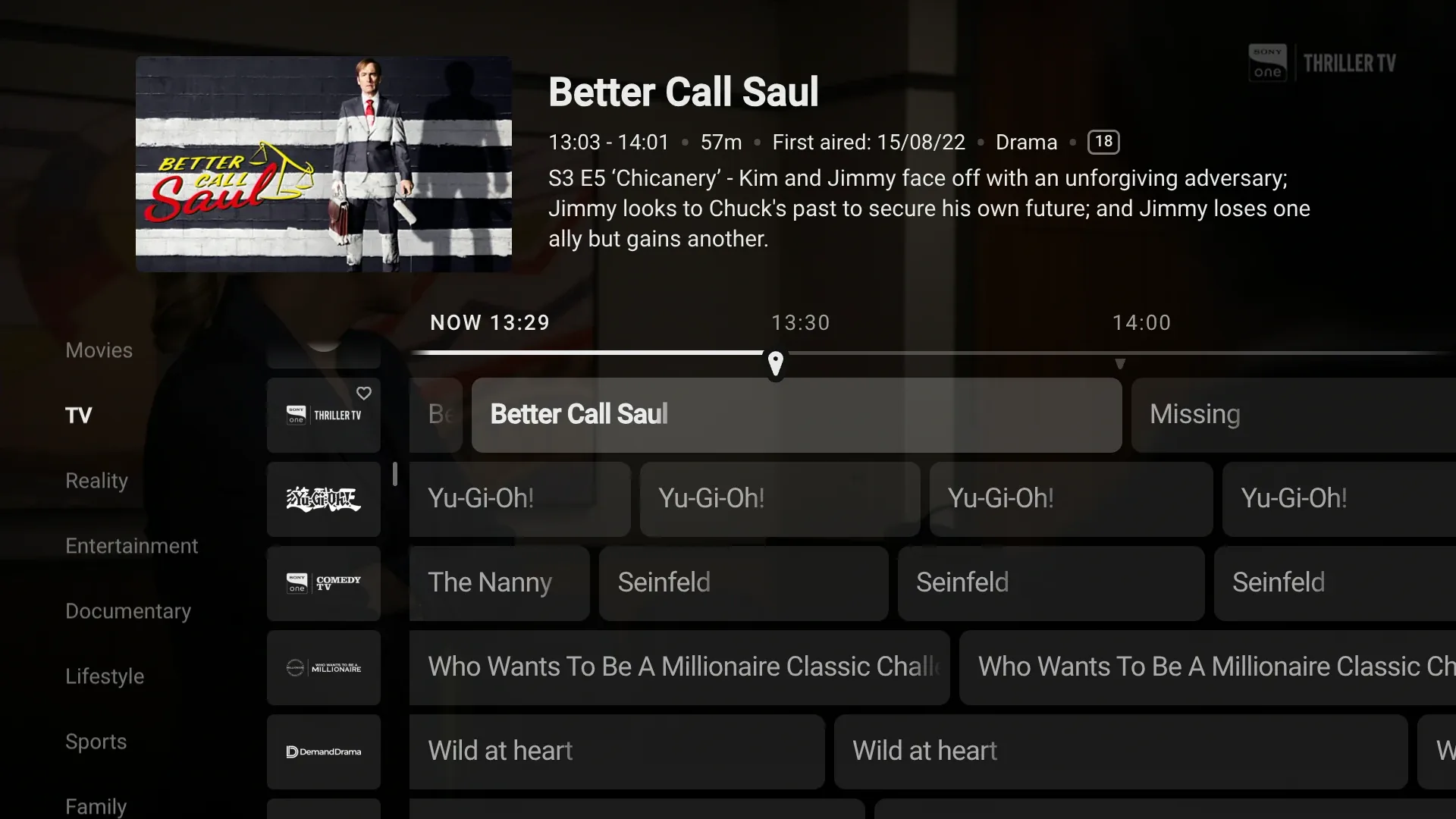
The full Guide lets you browse what’s on now and over the next two days. Highlight a programme and press OK to tune to its channel.
The Guide button on the Aero remote opens Freely’s TV Guide. To open the TiVo Channels TV Guide, use +FREE → Go to Guide.
Add favourite channels
You can add favourites from either the mini guide or full TV Guide. Highlight the channel and select the favourite option.