
Watching Freely Live TV
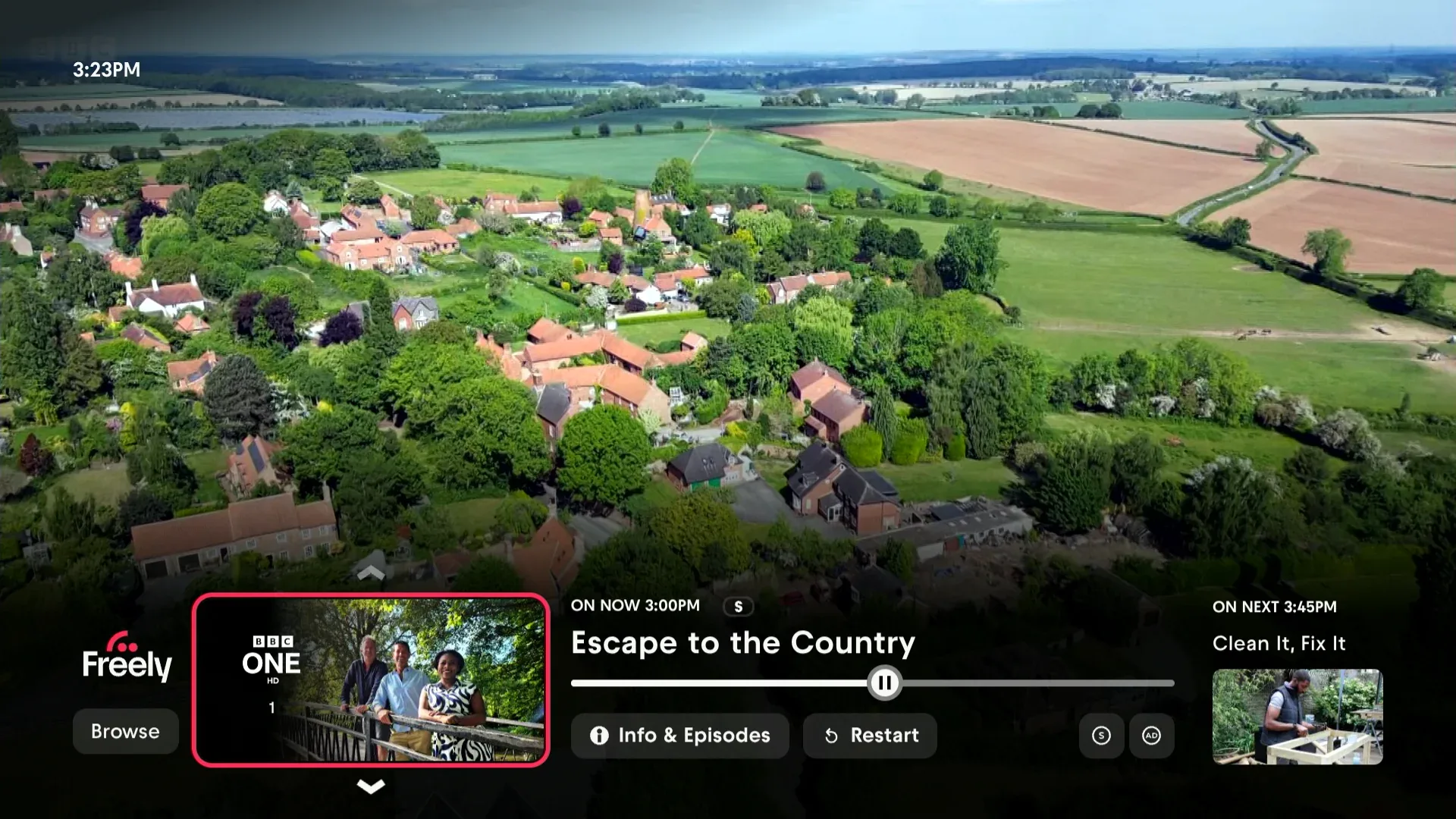
When you’re watching live TV, your Aero gives you quick access to programme information, channel changes, and more through the MiniGuide.
The MiniGuide
While watching live TV, press OK or any direction on the D‑pad to open the MiniGuide. This handy overlay shows you:
- What’s on now and what’s coming up next
- Programme information and description
- More episodes available on demand
- Quick toggles for Subtitles (S) and Audio Description (AD)
The MiniGuide disappears after a few seconds, or you can press Back to close it.
Changing Channels
There are several ways to switch channels:
Using the channel buttons: Press P+ (channel up) or P- (channel down) to move through channels one at a time.
Entering a channel number: Use the number buttons on your remote to type a channel number directly. After a moment, your Aero will tune to that channel. This also works from the TiVo Home screen – so you don’t need to be watching live TV first.
Using voice: Press and hold the Voice button and say “Channel 1” for BBC One or “Channel 3” for ITV1, then release the button. This works from Freely or the Home screen.
From the MiniGuide: When the MiniGuide is open, press left or right to browse other channels, then press OK to switch.
Restarting Programmes
Some programmes can be restarted from the beginning, even if you’ve tuned in partway through. When this is available, you’ll see the option in the MiniGuide.
To restart a programme:
- Press OK to open the MiniGuide.
- Look for the restart option.
- Select it to go back to the beginning.
Not all programmes support restart – it depends on the broadcaster making it available.